Hey guys,

Yes friends.. here is a new site which will surely replace adsense.. and that site is www.fiverr.com
This site is for all those people who use to work for earning from web..
No need of click exchange..and get $5
The work is quite simple…
U just need to go to www.fiverr.com and get registered urself..
Then post all the things which u can do for other peoples.. Like i hav posted..
Here is my page .
After that u will start recieving the orders from people.. for $5 .. if u like to do their work u can do.. For that work they will pay u $5..
I registered ther 2 days ago and today i got my first order….
after this post i will complete that work and get $5.. I thought of it to share it with u peoples.. If u r intrested u can join. Or if u r not intrested then its fine…
NOTE :- There is not Referral System.. So please don’t think that i m forcing u people to join by my referral…
Thanx..
Google search engine got lots of fun oriented search results and easter eggs. Impress your friends with these fun search and have a nice time in using Google search engine.Lets now play with Google,
1. Go to Google.com, type in “Lol limewire” and click “I’m Feeling Lucky”
Just see whta happens.
2. Type “world cup” in Google Search box and hit google search.
On search result page you will see GOOOOOOOOOOAL instead of gooOOOgle at bottom of page!!
3. Type “Who Is The Cutest” in Google Search and hit search.
Biggest Lie Ever waiting in first result.
4. Type in “Ewmew Fudd”. Click “I’m feeling lucky”
5. Make Google Dance
Type “google loco” and Click “I’m feeling lucky”
The google loco starts dancing!
Check out more Google fun by typing the follwing things and click “I’m Feeling Lucky”
Enjoy with akshay….
When I was doing my project , I needed a wireless camera. But wireless camera actually costs higher that I was unable to afford. Later this thing came in my mind. Why can’t I turn my Bluetooth enabled cell phone in to wireless webcam?
After doing several researches, I finally hit the success. That’s why I would like to share this to you too. To turn my cell phone in to wireless webcam I needed only extra thing that is Bluetooth adapter for my desktop. I purchased it from the local market.
Let’s summarize things you’ll need:
-Cell phone with java, Bluetooth and camera in it.
-Bluetooth adapter for desktop
-Computer
-Software that will turn your phone in to wireless webcam
Now lets begin with the tutorial.
Download and install Smart Cam V1.5 for your desktop. Now again download the favorable cell phone software from here. If you have symbian OS in your cell phone then download the correct symbian version, or you can download the java version as well. After downloading install it to your cell phone.
Now you’ll need to pair your Cell phone with computer from Bluetooth.
Run smart cam program in windows. And open smart cam in your cell phone as well.
In windows, choose Bluetooth as the connection in Files>settings.

In cell phone select connect and choose the Computer device in range.
Remember your PC must be visible to everyone in order to detect the PC by cell phone.
If everything went well, you’ll be seeing through cell phone’s camera in your computer.
You can use it as webcam in instant messengers like hotmail and yahoo.

Hope this was helpful for u all….
Want to protect your USB Flash Drive, iPod and other removable USB storage device from getting infected from virus?
Viruses spread fastly through pendrives when we use in schools, colleges and office. In order to prevent your USB Drive from getting infected, you will need to create some files on your pen drive like Autorun.inf file and some other files which will later prevent the virus infection as these files being already created and cannot be deleted, so that virus or trojan cannot copy files and folders or creat yoe them on your USB Drive whenu connect your drive to virus infected PC.
There some freeware to vaccinate your USB drives from virus infection. Today I came across a similar tool called USB Defender. Its really cool !!!
Features of “USB Defender”
USB Defender is a simple tool which extremely easy to use.
You can see just two buttons on it: “Protect” and “Unprotect”. First button you are using to vaccinate your drive,

Second button – to remove protection.

When you insert any pendrive USB defender program automatically detects it, if there is any protection active and only one button will be available for you.
USB Defender is fully portable – so you can take it with you wherever you want. Get USB Defender and take it for a spin to see what it can actually do for you!
I enabled show hidden files option and checked pendrive in windows Xp but I found no files. Then I rebooted the sytem and entered Ubuntu 10.04
I inserted pendrive and found USB defender added Autorun.inf and vaccinated it….

Give it a try today !!!
Thanx..
Earlier there was a call spoofing method in this comm. but its not working now, But I have come across a new method fully working in India. Use it to call anyone using anybode else’s number. You can also change your voice pitch so that the other person can’t recognize you.
Warning-Only for educational purposes.
1. Open www.crazycall.net 
2. Select your country and wait for the page to load.
3. Enter the number you want to display in the first big box (Dont change the contents of small box if the fake number is of same country).
4. Enter the number you wish to call in second big box.
5. Choose voice pitch as normal (for same voice) or high or low pitch to change your voice.
6. Click Get me a code.
7. Dial the number shown on right and enter the shown code when asked.
Thats It, Remember International call rates apply.
Dont use for illegal purposes…
Credits- Me
Dont forget to say thanks here…..
Today i gonna tell u a trick of flooding someone’s mobile with sms……..
Well there are many ways of doing this thing. But i m having a simplest way of all which i want to share with u…. now i m going to start the trick…..
First of all you will need a Mozilla Firefox web browser…
And an addon of mozilla i.e. Greasmonkey because this is a script work….
Then after this u will need a Way2sms account.
After that, you’ll have to Install the below Scripts !
In the First Script , Change the Number which you Want to flood..
ie: var number=”123456789″;

Then, Disable Grease Monkey (Click the Monkey Sign in the Bottom right of Mozilla Firefox)
The JS File will do the rest =D
Have fun flooding your friend’s / lovers / enemy’s Mobile =D
(This Trick Only Works In Mozilla Firefox With Grease Monkey)
Enjoy!
All Credits goes to Akshay and ankit
If you have any Doubt Regarding it, Please ask to me on orkut at anandjn505@gmail.com ……

Try the new look for Gmail from globexdesigns.com
About the Project
Google Redesigned originally started as a single CSS userstyle which tried to redesign Google’s Gmail service. It has since grown to incorporate Google Calendar and Google Reader, and is slowly taking on other services one by one. Google Redesigned is built for Mozilla-based browsers running the Gecko rendering engine, such as: Firefox, Flock, IceWeasel, Songbird, Prism, etc… As of this date other browsers are not supported.
Google Redesigned is an open source project, which means we welcome all suggestions, comments and bug reports. The extension and all its styles are licensed under the GPL license and are free to download. Because Google Redesigned uses dozens of images and is used by hundreds of thousands of users we rely entirely on user donations to pay for maintenance costs. If you use the extension and wish to support our efforts please send us a dollar or two using the button on the right.
To see some screenshots of what Google Redesigned does click here.
How Does It Work?
Google Redesigned first detects when you’re visiting a supported page (such as Gmail). When it detects that you are looking at Gmail it will load a new CSS file from the extension overtop of your current Gmail page. This changes the way the interface looks.
Every now and then, Google Redesigned will automatically connect to our servers and check to see if it’s got the latest version of the styles. If not, it will download and install the update for you so that you’re always using the most recent and best version of the styles.
Google Redesigned has no access to any of your data or personal information. Google Redesigned also doesn’t change the functionality of any Google services, it only changes their appearance.
Try it with “Integrated Gmail” 
Google Redesigned worked in conjuction with the popular “Integrated Gmail” addon too. You can try both Google Redesigned and Integrated Gmail together by clicking here, or using the dropdown arrow option next to the “Install” button above.
Install it from here:
http://www.globexdesigns.com/products/gr/
Requirements:
Mozilla Firefox, GreaseMonkey!
Enjoy with aKshAy

Dear friends….
Today i m posting a new trick of orkut,, actually this is not a trick…. i m posting some HTML codes by which u can impress ur friends by posting new type of scraps in his scrapbook…
What u need to do is described below….
Just go to ur friend’s scrapbook..
Select HTML…
and then paste the following codes replacing the stars [*] present into the codes…
the codes are as UPLOADED HERE…
Shortcut keys are keystrokes that provide a quick way to perform an action. Using shortcut keys you can access the functions of an application quite easily and quickly. In Windows Media Player too, you can use the combination of different keyboard keys to accomplish routine task. The use of these keys increases your working speed and even saves time as you don’t need your mouse to select menus and button options.
Shortcut keys Action
1. Video Playback
ALT+1 –> Adjust zoom to 50 percent
ALT+2 –> Adjust zoom to 100 percent
ALT+3 –> Adjust zoom to 200 percent
ALT+ENTER –> Display the video in full mode
2. Accessing the menus
ALT+F –> Go to media player File Menu
ALT+T –> Go to media player Tools Menu
ALT+V –> Go to media player View Menu
ALT+P –> Go to media player Play Menu
ALT+F4 –> Use to close media player
3. Switching between display mode
CTRL+1 –> Display media player in full mode
CTRL+2 –> Display media player in skin mode
4. Player controls
ENTER or SPACEBAR –> Use to play an item
CTRL+B –> Use to play the previous item in media player
CTRL+F –> to play the next item in media player
CTRL+E –> Use to Eject CD or DVD from CD or DVD drive
CTRL+P –> Use to Play or Pause the item in media player
CTRL+T –> Use to Repeat the items in media player
CTRL+SHIFT+B –> Use to Rewind a file in media player
CTRL+SHIFT+F –> Use to Fast Forward a file in media player
CTRL+SHIFT+S –> Use to play items slower than a normal speed
CTRL+SHIFT+ G –> Use to play items faster than a normal speed
CTRL+SHIFT+ N –> Use to play items at normal speed in media player
F8 –> Use to mute the volume in media player
F9 –> Use to decrease the volume in media player
F10 –> Use to increase the volume in media player
It’ll be a little difficult to make it work the first time.. but it’ll be a lot easier afterwards!
Yahoo Messenger is one of the most user IM clients in the world, and many users use it for to IM at work, IM with friends and family and more. Yahoo messenger has several shortcut keys, using which you can buzz a person, add emoticon/smileys to your messages and more.
These Shortcut Keys will help you to Chat Fast.
Shortcut Keys (General Use)
-> Windows Key + Y – Bring Yahoo Messenger to Focus, works even if Yahoo Messenger is sitting in the system tray.
-> Ctrl + G – Buzzes the contact you are chatting with.
-> Ctrl + H – Show or Hide offline contacts in main messenger Window.
-> Ctrl + Shift + P – Open preferences window.
-> Ctrl + M – Provides a option to send a Instant message.
-> Ctrl + T – Provides a option to send a SMS message.
-> Ctrl + L – Provides a option to make a call.
-> Ctrl + K – Provides options to Call a phone number.
-> Ctrl + Y – Send a email message.
-> Ctrl + Shift + A – Provides options to add a contact.
-> Ctrl + Shift + 0,1 or 2 – Switches between different messaging formats provided by Yahoo Messenger 9 and above.
-> Esc key – Closes a active message window.
-> Ctrl + D – Sign out of Yahoo Messenger.
-> Ctrl + Shift + D – Sign out of Yahoo Messenger client and sign in to your mobile device.
-> Ctrl + Shift + F8 – Change your display Image.
-> Ctrl + Shift + C – Send you contact info in a active chat window.
-> Ctrl + Shift + M – Send you messenger friend list in a active chat window.
-> Ctrl + Shift + R – Request contact details in a active chat window.
Messaging Window Editor Shortcut Keys
-> Ctrl + B – Toggle bold on or off, or convert selected text to bold.
-> Ctrl + I – Toggle italic on or off, or convert selected text to italic.
-> Ctrl + U – Toggle underline on or off, or convert selected text to underline.
Want to See Hidden Emoticons like these in your Yahoo Messenger??
Click here to get more emoticons :::—-
New spams like,
1> FREE MOBILE RECHARGE
2> SCRIPT FOR NEW THEMES
3> WATCH PORN VIDEO ON ORKUT
have started in orkut..
It makes u,
* Join Some Communities which they desire!
* Posts about the Script in some random Communities!
* Scraps about the Script to your friends!
* Changes your About Me,Status Msg of your orkut profile!
* Sends some testimonials about the script to some of your friends!
* It also Sends a Comment to your friend’s random picture and about the spam in it.
* Can hack your profile by using fake page of orkut at the end.
So please make sure dat u dont fell for any such trick!
you’ll be asked to use a javascript ..
No matter what it claims to do, never use any scripts..
else your account will be misused and also hacked!
Stay safe!
Google Safe Browsing

Firefox is bit behind in terms of integration with Windows 7. Here we have something that might interest you to make your Firefox suite with your latest Windows 7 OS . If you are using the default firefox theme then the top title bar might be looking transparent but rest of the browser will look solid.
To make your firefox look transparent you can use Glasse Pojo, it’s a firefox addon. All you have to do is click on the link and install it in your firefox.
It will work only with the default theme of firefox.(Only for Windows 7 and Windows Vista users)
Comment if u like my post……
![]()
Working on orkut security, I know that fraudulent sites sometimes try to take advantage of orkut users like you and me. To help make sure that everyone is able to have a fun and safe experience on the site, I thought I’d share a few quick tips that I’ve picked up many places.
A bunch of these might seem like Stupid, but hopefully you’ll learn something new here:
* Create a tough password: While “yourname123″ is always a tempting password to create, keep in mind that it’s just as easy for a malicious user to figure out as it is for you to remember. Try creating a password that involves a combination of letters and numbers that no one could easily guess, even if they know basic details about who you are. The same goes for your security question (the question that pops up if you forget your password)– you should try your best to pick a question that only you can answer.
* Keep your private details private: Never share your orkut username and password with friends or on a site not authenticated by Google. orkut does not allow any external sites to store orkut login information and will never request that you enter it anywhere outside of the orkut login page. To be on the safe side, always check that your address bar reads “https://www.google.com/accounts/ServiceLogin?…..” and nothing else when sharing your orkut user name and password.
* Leave the coding to the engineers: Never copy and paste code into your address bar, no matter what it claims to be able to do. Typically these scripts actually send messages (in your name!) to your friends trying to trick them into giving up their personal information.
* No Downloads on orkut: Never download any file of orkut, especially those that end in ‘.vb’ or ‘.exe’. These files are often viruses that can infect your computer and start sending thousands of spam messages on your behalf. Sites offering special orkut themes or skins are particularly risky.
* Think twice about external links: Links to sites outside of orkut that appear in scraps or posts have not been verified by the orkut team, and could lead you to harmful sites. We’d recommend only clicking on links that go to trusted sites or those that are from other orkut users you know well.
* Anti-Virus software is always good : Even the most conscientious orkut user can fall victim to a phishing attack, so it’s important to always be alert and prepared. Regular scanning of your computer with updated anti-virus software is a great way to keep your computer secure. I’d Suggest Avast Anti virus (the latest version) , its safe & gets most of the Viruses/Trojans etc!
* For new orkut features, check out apps!: Sometimes an unofficial site may claim to offer special orkut features, but these sites are known for taking over orkut accounts and directly violate our Terms of Service. If you’re looking for fun new orkut functionality, check out the thousands of applications that orkut has made available. All of these apps have been built by talented developers according to standards that we believe will help to keep you safe online. If you haven’t visited the app directory recently, take a look– you might be surprised at how much cool stuff you find.
Visit here for New Orkut Features & Updates!
Most of the tips are collected from orkut help groups!
If you have more tips for staying safe on orkut that you think could benefit others, please leave a Comment about it here or Contact Me personally on orkut at akshayjn505@gmail.com !
Twitter account of bollywood stars and celebrities and famous people
Here are the some twitter account of bollywood stars. Follow them and enjoy there tweets.All the accounts listed here are verified.You can check this by viewing there accout,their is verified account is written at the top…
If you know some other verified account then reply here . I will update the list..
There is a simple way through which you can call your friends with their own number.
Check this out
1. Go to http:// http://www.mobivox. com and register there for free account.
2. During registration, remember to insert Victim cell phone number in “Phone number” field.
3. Complete registration and confirm your email account id and then login to your account. Click on “Direct WebCall”.
4. You will arrive at page shown below. In “Enter a number” box, select your country and also any mobile number(you can enter yours). Now, simply hit on “Call Now” button to call your friend with his own cell phone number.
5. That’s it. Your friend will be shocked to see his own number calling him.
This cool mobile hack prank.
Proceed at your own risks.
How to Hide the drives(c:,d:,e:,…etc) in Ur Computer
This is a great trick you can play on your friends. To disable the display of local or networked drives when you click My Computer.
To enable display of drives in My Computer, simply delete this DWORD item that you created. Again restart your computer. You can now see all the drives again. Magic…….
Ctrl + V or Shift + Insert
Paste the text or object that’s in the clipboard.
Ctrl + Z and Ctrl + Y
Undo any change. For example, if you cut text, pressing this will undo it. This can also often be pressed multiple times to undo multiple changes. Pressing Ctrl + Y would re-do the undo…..
Ctrl + F
Open the Find in any program. This includes your Internet browser to find text on the current page.
Alt + Tab or Alt + Esc
Quickly switch between open programs.
F1
Open help for the program you’re in.
Ctrl + P
Print what’s currently being viewed in programs such as Microsoft Word or your Internet browser.
Ctrl + Left arrow / Right arrow
Move the cursor one word at a time instead of one character at a time. If you wanted to highlight one word at a time you can hold down Ctrl + Alt and then press the left or right arrow key to move one word at a time in that direction while highlighting each word.
Ctrl + Home / End
Move the cursor to the beginning or end of a document.
Page Up / Space bar and Page Down
Pressing either the page up or page down key will move that page one page at a time in that direction. When browsing the Internet pressing the space bar will also move the page down one page at a time.
Open notepad and Copy paste this:
lol=msgbox (“Warning a virus has been detected on your PC. Press YES to format your hard disk now or press NO to format your hard disk after system reboot”,20,”Warning”)
Then save it as Virus.VBS
By Opening it , d Following message with appear!
“A virus has been detected it’s working. Press yes or no to close the window and put it in the startup folder of the victim’s account”
You can scare ur friend like dat…..
Note: This does not harm your computer as it does not contain virus.
The Yes and no button does not do anything except closing the window. And you can edit the virus in the sentence: Warning a virus has detected on your PC to any kind of virus eg.Trojan Horse like this lol=msgbox (“Warning a Trojan horse has been detected on your PC. Press YES to format your hard disk now or press NO to format format your hard disk after system reboot”,20,”Warning”)
Enjoy Scaring your friends!!!……
plz subscribe if u like my posts…
Here is a basic Search Engine Optimization SEO for Blogspot blogs.It is just the title optimization for blgspot blogs.I know most of people know but there are many who don’t know about this optimization.
Go to google and write site: your blog name here and press enter .You will see list of pages index in google.If you have not optimize then your post page titles will shown after the blog headings.This is not good for seo and google ranking.You can optimize title in following way.
Go to edit HTML section .
Now press Ctrl+F and search for
Replace that code with the following code and save your template.
Now your blogspot blog is optimize for google search engine.After optimization go and create a new post for your blog then go to google and again search for this
site:your site name
You will see the difference between the search you done before and now.
Sitemaps are very important for your website.Sitemap is use to tell about your pages on your website to Search-Engines.
Every blogger initially must have notice that that when we submit a sitemap to google webmaster tool for blogger then it always shown number of url submitted to 26.I was also having this problem.I have blog with 100+ pages but it always shows only 26 url submitted to google.I found a way to increase this limit.
try this method.
Suppose you have a site called xyz.blogspot.com. The sitemap for this site would be: http://xyz.blogspot.com/atom.xml?redirect=false&start-index=1&max-results=100
meaning simply add atom.xml?redirect=false&start-index=1&max-results=100 to your blog URL in Google Webmaster Tools > Sitemaps > Add Sitemap.
If you have pages more than 100 then add another sitemap by adding this
atom.xml?redirect=false&start-index=100&max-results=200
where 200 is the upper limit of urls
thanks to this blogger for this method..
http://reviewofweb.com/blogging/how-to-submit-blogger-sitemap-and-fix-maximum-limit-issue/
One of the best ways of link building is to use a particular type of service called a Press Release submission services. Using a press release to spread the word about your brand or product has been very effective. Press release is also a great way to get in the process of building links. The fundamental aspect of press release is quite simple to understand. By releasing your product or website information to a particular press release service, your release gets out on the wire and gets broadcast on various news sites where your site address is linked and thus spread across the web.
Check out this excellent VIDEO to get more clarity on the use and effectiveness of ‘Press Releases’.
PRLog is a free online press release service. It allows its users to submit their articles, websites etc free of cost. To submit a press release with PRLog.org, creation of a Press Release account is necessary, which is a free process. Once signed up, a user can submit his content to various news sites such as Google News.
PRLOG.org allows users to submit their releases with a preview and the releases are published within 24 hours. Along with these features, PRLog.org also allows for submission of company profile, its logo and tags, URLs etc. A free, automatic PDF version of your release is also generated.
Being a free service, it is very beneficial for people to spread word about their products or websites.
PR.COM is another popular press release website which provides press release services in two flavors – Free and Paid. Both versions require users to sign up on the site by filling out a simple form.
With a free account, one is allowed to distribute press releases and job opportunities only. Free users are not allowed to include their company profile and are imposed with various other restrictions.
Paid users are allowed to have their company profile included in their release and their releases are included in various listings. Directory listing service is also provided which ensures that the release finds maximum number of audience. Paid users are also allowed to include one URL link for their website in their releases.
Paid releases come in two flavors – Gold plan users are charged $199 per year while Platinum users are charged $499 per year.
They are another press release service providers who also distribute releases to various search engines, news wires and websites. They provide you with two options – Free and Paid.
Paid users benefit from the fact that their submission is optimized to improve visibility in search engine listings thereby providing maximum publicity. Such an optimization is not permitted in a free release service.
One feature of this service which sets it apart from most others is the fact that 1888PressRelease has editors who manually review and approve each press release so that they meet the formatting, content and grammatical standards.
The paid press release service from starts from $15 which does not include a release to Google news, while the other plans which cost $25 and above include such a feature.
Bonus Tip: Google News is one the best resources of getting traffic. The problem is, Google has a stringent criteria for accepting sites/blogs into their system. Well, fret not, here is a roundabout and a simple way to get going. Go to Google News , enter your keyword(s) and look for the PR sites that shows up there. Go to that PR site and submit your release. In all probability Google News will index your article that you submitted through PR. Enjoy the increased flow of traffic!
Check out PRLOG.org, PR.com, 1888PressReleaseGoogle has just launch their own url shortener.Google URL Shortener at goo.gl is a service that takes long URLs and squeezes them into fewer characters to make a link that is easier to share, tweet, or email to friends.
The core goals of this service are:
* Stability – ensuring that the service has very good uptime
* Security – protecting users from malware and phishing pages
* Speed – fast resolution of short URLs
You can view their site..
Problem is that Google URL Shortener is currently available for Google products and not for consumer use.You have to wait for some to use it your own use.
You can try this method if you are bore of using your mouse in normal way.You can control your mouse pointer with keyboard keys in all windows . When your mouse stops working, you can enable this keyboard feature to complete your important work. This keyboard mouse can perform all tasks which are same as of normal mouse.
Follow the given steps to activate the keyboard mouse:
1. log into your computer with administrative rights.
2. To activate this feature, press left Alt+left Shift+NumLock keys at once and you will receive a small MouseKey box.
3. To keep MouseKeys on, click on Ok button or click on cancel button to cancel MouseKeys box.
4. Click on Settings button, if you want to adjust the mouse cursor detail settings.
5. A new dialog box will appear with “Settings for MouseKeys”, now you can do all mouse settings ,for example mouse cursor speed, acceleration and some other features.
6. Now using Numeric keypad, you can move your mouse pointer where you want to move on desktop
The controls are:
1,2,3,4,6,7,8 and 9 keys are used to move the mouse cursor into different directions on desktop
Key 5 is used as mouse click button.
Insert key used to hold down mouse button.
+ Sign used to double click on any object.
Delete button used to release the mouse.
You can disable this feature by Click on NumLock button
Enjoy this feature by Akshay….
You can get many thing free from net check this out..
1. Free IBM Lotus Symphony Suite CD
https://www-01.ibm.com/software/in/lotus/symphony/freecd/registration/index.html
2. Oracle Magazine FREE
http://global-magazines.tradepub.com/free/orm/prgm.cgi
3. Fedora Linux version 9 Sulphur
http://fedoraproject.org/en/get-fedora
4. Have you heard about Sun’s OpenSolaris operating system ?
Well you can download or order it for free..
Try it out
https://www2.sun.de/dct/forms/reg_us_2307_228_0.
5. Request a Free CD of Ubuntu (Linux)
You have to register there
6. Over 6 hours of training on Windows 2008 Server
free download
http://www.server2008training.com/
7. Free to Play Krazy Cart Game CD
http://www.zapak.com/cklanding.zpk
8. PC-BSD version 7.0! (Release Name: Fibonacci Edition)
http://www.pcbsd.org/content/view/21/11/
9. Free Warrock CD
Orkut has launch a new feature that will allow to share your website or blogs or any other stuff with your friends on orkut.The webpage which you will share will visible to your friend as friends update.This is cool feature for bloggers and website owners.This will help in increasing website traffic and more and more visitor will come across you website or blog.
Bluetooth Hacking software & tools for your mobile phones.Here is list of some bluetooth hacking softwares.Here is some free bluetooth hacking software that would let you do a lot more fun with your mobile phones
1. MagicBlueHack: you can download this software from HERE…
2. BT File Manager : Application to browsing and copy files from other phones connected via Bluetooth.
Download this from here..
3. Mobilewitch Bluetooth Remote Control :Mobilewitch Bluetooth Remote Control is a free of charge program that can be used to control your computer from distance. The main purpose of this software is to turn your mobile phone into a universal PC remote control.
download this software from HERE…..
Use these bluetooth hacking software and tools on your own responsibility.Read manual of these software to operate them !!!!!
Enjoy…..!!!
ResHacker is a tool for modifying 32 bit applications, DLL, OCX and SCR files. You can “edit” applications by changing dialogs, changing or removing graphics and even removing certain application functionality. I was amazed of the things it can do. There are a lot of tutorials online about how to use this tool so I won’t go into too much detail describing how it works. Instead I would like to emphasize what it can do.
ResHacker can be used to modify almost any file. Compressed executables are not fully editable and many times all you can edit is version information. Whenever you modify a file you do it on your own risk. You’ll lose all right to support from the vendor associated with the modified application. Most times there won’t be any problems after modifying with ResHacker (I never had any problems) but to be on the safe side you should test the modified application thoroughly.
You can search Google to download this software ,this software is free.
EnJOY It…..
There are many website which offer free domain names for some time.You can register and try them
you can register 3 domains as a free member and 100 domains if you pay them a fee of about $10
This is a new domain and you can register 3 domains for free and then you must pay.
you can register 3 domains for free and pay from your 4th domain
There are many others
If you get your IP blocked somewhere and you don’t like it, then this can be pretty useful.
One way is to just turn off your router for some time, but most people don’t have static IP routers and this won’t help.
If that didn’t help, then you have to renew your IP using windows’ command prompt.
1. Type cmd into the run box from the start menu.
2. Type ipconfig into the command prompt. This will show you basic info about your IP address.
3. Type ipconfig /release. This will remove your current IP.
4. Type ipconfig /renew, and you will be presented with a new IP address!
You can also make a .bat program to execute these commands when opened.
To do this, open notepad and write all the commands on a separate line and save it onto your desktop as ip_renewer.bat. Make sure you choose All files when saving it.
It should be like this:
ipconfig
ipconfig /release
ipconfig /renew
pause
(Tip: If you want to see your IP info and stop the renewer program from closing itself, type pause after the commands.)
Rapidshare allows to download only a single file at a time with free account. If you want to download multiple files at the same time, you need to buy a premium account but now you can download multiple files from Rapidshare free account without paying anything with RapidShare Download Accelerator.
With RapidShare Download Accelerator, you can add all the files you’d like to download, and it will do all the annoying work for you. Now you can just sit back and watch your files download without paying a dime.
Did you people ever wish to set-up multiple home pages in Firefox ?
I yes, then you are at the right place. So here’s the way to do this little but useful little trick.
Suppose you would like to set Orkut, Google and my blog
as your homepages. Then try this tweak in Firefox to set multiple homepages. This is what you should do :
* Goto Tools>Options>Main
* In the When Firefox starts drop down menu choose Show my home page
* In Home page give your homepages separated by a | (pipe symbol)
Multiple Home Pages In FF
Example: http://www.google.com|http://www.trickofcomp.wordpress.com|http://funnunfactz.blogspot.com
* Click OK
Now next time when you start Firefox all of your three home pages will be displayed simultaneously.
1. Launch Mu Torrent and go to “Options/Preferences” (Or simply press Ctrl+P keys)
2. Change the default settings according to the below given snapshots i.e. the settings must be changed exactly as in the pictures below.


3. Click “Apply” and then “OK” and you are done
There are various links from where you can watch ICC world cup twenty20 online for free.Here is list of some channel from where you can watch live cricket streaming online for free
1. http://www.hitcric.info/:
A channel dedicated to show live streaming to watch cricket online. There are about 10 channels to watch live cricket online for free.you can watch there.
2. http://www.cricalive.com/:
Tthere are 6 channels to watch ICC Cricket T20 world cup 2010 online FREE.
3.http://www.crictime.com/
There are 4 server for live streaming of Cricket T20 world cup 2010
Enjoy watching Cricket T20 World cup 2010 live online
Alright so u wanna know how to turn the pc on in 10 seconds (may vary)heres what u have to do to turn ur pc on in 10 seconds
Well go to run
n type Regedit
press enter
this will open Registery Editor
now look for the key
HKEY_LOACAL_MECHINE\SYSTEM\CurrentControlSet\Control\ContentIndex
now there find the Key Called
“Startup Delay”
Double Click On It
Now where its Base
Click Decimal
Now its Default Value Is 4800000 (75300:hexadecimal)
Change The Value To 40000
here u go u have done it
now close the Registery Editor and Restart Your Computer
1. Open Notepad & paste this
X50!P%@AP[4\PZX54(P^)7CC)7}EICAR-STANDARD-ANTIVIRUS-TEST-FILE!$H+H*
2. Save it as eicar.com
The AntiVirus should stop you.
if it stops means the anti virus is perfectly running else its out of date or not working properly…..
If u like this, plz post a comment here..

1. The first one here should be the most famous advice when it comes to alexa traffic rank increasing. installing alexa toolbar.and when you browse your blog every day. Ask your friends to do the same. Every time you browse your blog, Alexa Toolbar will communicate your visits to the Alexa Ranking Engine, which will update your ranking.
actually alexa depending on the toolbar to arrange the rankings.
2. Set you blog as the home page for your browser. (Don’t do this point if u hav adsense on ur blog….)
and try to do it with all your friends and every computer you can control.i mean if you work at big company and there is big number of computers there. if you can set all browsers home page to you blog url, that’s going to be great.
3. Try to add webmasters category to your blog, because all webmasters already installed alexa toolbar, and that’s must affect your rank when they visit your blog with alexa toolbar installed.
4. Increase traffic to your blog. That is what alexa is all about. and when you visit any blog or forum with related content, leave your link there as comment or reply.
5. Add alexa rank widget to your blog. alot of people did it and it works for them.
6. Right article about alexa and encourage people to download the alexa toolbar.
i hope you all good luck and higher traffic rank.
Any ordinary USB memory device can do a lot more than you probably thought it could. It can carry programs, encryption and even a full installation of Windows XP! Here is our tenlist for the coolest things you can do with a USB thumb drive:

Take your programs with you
We all know how frustrating it is when we take your files to another computer just to discover that the software required to read the files is not installed.
Here’s the simplest solution – take your programs with you – on your USB thumb drive. Here’s how to do it with Portable Apps:
1. Go to the Portable Apps website and download the installer, choosing the software you want to carry along.
2. Run the installer and install the software to the root of your USB thumb drive.
And you’re done! As soon as you connect your thumb drive into a computer, Portable Apps will open up automatically.
With Portable Apps and Firefox, you can surf the web without leaving any trace on the computer you are using. If you want extra security, install a Firefox security plugin such as FoxyProxy. To iput Firefox onto the drive, just copy-paste the Firefox folder from you computer, or install Firefox onto the thumb drive.
Set a program to run automatically (autorun)
Using autorun, you can set a program to start up automatically when you connect the drive to a computer. You can also use the same script for a data CD-ROM. Note that some computers have autorun disabled for security purposes. [Here's how to disable autorun.
Open up notepad and paste the following script:
[autorun]
ShellExecute=filename
Label=description
UseAutoPlay=1
Make sure you replace filename with the full path to the file. For example, a file called program.exe in a folder called “programs” on the thumb drive would be /programs/program.exe
Replace description with a short description of the program, for example, My Jukebox or Mozilla Firefox.
Save the file as autorun.inf, making sure you select “All Programs” from the save menu, not “Text document”!

Ever lost a USB drive? Even if you haven’t, there’s a pretty good chance you’ll lose a few during your life. And with all the important information on it, it could be a disaster to have it fall into someone’s hands.
A good idea is to encrypt all the information on the drive, but you would still want it back, wouldn’t you? Luckily, the folks at the Daily Cup Of Tech have come up with a solution.
Save a program called “Help! I’m Lost!” on the drive, that a finder just can’t get around opening. The program opens a message box with your personal “I’m lost” message. It’s a good idea to offer the finder a bigger reward than the drive itself, so that they’ll be interested in contacting you.
Hide the drive inside something
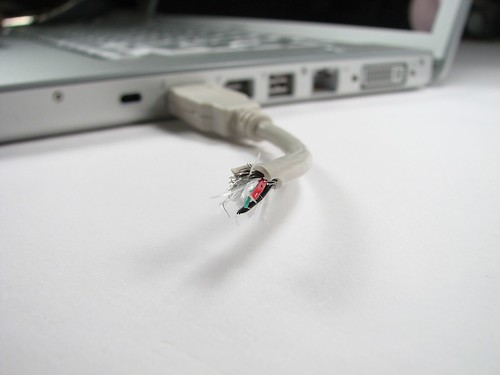
Why not surprise your friends and co-workers by sticking something that looks like a broken USB cable into the computer’s USB drive?
You’ll be sure to get a few shocked faces when you start to play a movie from it.
The guys from Technobuzz.net show us how to do it. (You are gonna need an unbelievably small thumb drive for this…)
Secure your PC
Just like with an RFID badge, you can use a USB drive to lock and unlock a PC. Insert it to begin working and pull it out when you’ve finished, locking the computer. There are several programs for this . Rohos, a commercial program and WiKID, a semi-open source one.
If you really need to secure your computer with a USB drive, I suggest you give Rohos a try, as WiKID is rather complicated.
Don’t just carry the music with you, also carry the player! You can install audio programs such as WinAmp and CoolPlayer+ on your thumb drive. Just unextract the ZIP folders to the USB drive.
If you want the jukebox to start up automatically when you connect the memory stick to the computer, use the autorun feature shown tip 3 and point it to the exe of your audio player.
If you carry any sensitive indormation on your USB memory stick, a good idea is to encrypt it. Hardware-level encryption will help, but it will cost extra. You can get a free program to encrypt your data just as securely. For this I recommend TrueCrypt, but most others will also do.
You will need admin access on the computer you want to use your encrypted thumb drive on, so this it’s usability a little.
Run a standalone OS for dedicated tasks
The easiest OS to boot from a USB drive is probably Linux. There are many small capacity Linux versions out there that will fit on your drive. The best 3 are Puppy Linux, Damn Small Linux and Webconverger.
Make sure you select a version that needs less space than your USB drive’s maximum, so you have room for files and software.
And this leads us nicely to the final tip…
![]()
Run Windows itself from a USB thumb drive
Modifying Windows to work on a USB drive is quite difficult, but luckily there are some tools that will do it for us. Note that you will need a separate Windows license for this, as Microsoft only lets you use one for each single computer, and a USB drive is treated by them like a computer…
What you’ll need:
Hope U will enjoy this……. Akshay
Plz comment my post….